
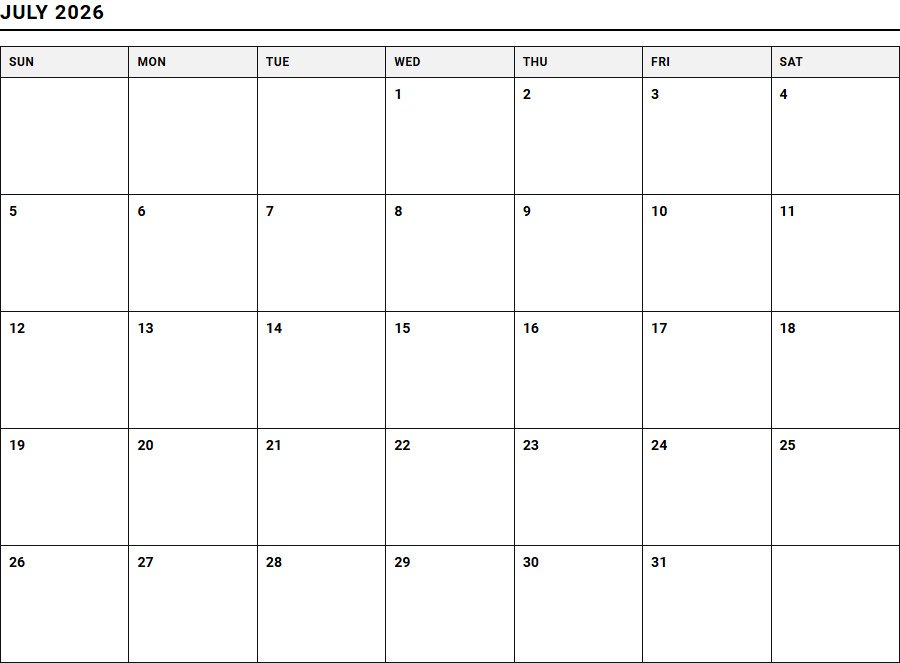
Managing complex project timelines often leads to cognitive overload and missed deadlines. While digital enterprise dashboards offer robust tracking, they frequently introduce screen fatigue. A printable weekly calendar grants professionals a tactile layout that sharpens focus, provided it is integrated into a consistent daily review routine.
Utilizing these templates for concrete tasks-such as tracking agile sprint milestones-keeps deliverables aligned. Below, we explore the top-performing layouts to optimize your task organization.
Create Your Work Task and Project Planner
Done customizing?
Work Task and Project Planner - Good to Know
Kanban board
A Kanban board is a premier visual project management tool designed to help teams visualize work, limit work-in-progress, and maximize efficiency. Originating from the Toyota Production System, this agile framework utilizes physical or digital boards to represent different stages of a workflow. Typically, cards representing individual tasks move from left to right across various columns.
- To Do: Tasks that are prioritized and waiting to be started.
- In Progress: Active tasks currently being worked on by team members.
- Review/Testing: Completed work undergoing quality assurance.
- Done: Fully completed tasks that meet the definition of done.
By providing real-time visibility into workloads, team members can quickly identify bottlenecks, streamline communication, and maintain a steady, predictable flow of value. It encourages continuous improvement and adapts seamlessly to changing project requirements without disrupting current operations.
Gantt chart
The Gantt chart remains one of the most powerful scheduling tools in modern project management. It displays project activities as horizontal bars plotted against a timeline, making it incredibly easy to visualize the start dates, durations, and end dates of various tasks. This layout allows project managers to grasp the entire lifecycle of a project at a single glance.
Key elements represented within a standard Gantt chart include:
- Milestones: Significant events or major achievements in the project timeline.
- Task Duration: The length of time allocated for each specific activity.
- Overlapping Activities: Tasks that can be performed concurrently to save time.
Through this structured visual timeline, teams can align their schedules, allocate resources efficiently, and set realistic expectations for stakeholders regarding project completion dates.
Time blocking
Time blocking is a highly effective cognitive productivity technique where you divide your day into dedicated segments of time. Instead of keeping an open-ended, overwhelming to-do list, you proactively dedicate specific hours to specific tasks or groups of tasks. This practice helps combat multitasking and reduces the decision fatigue associated with choosing what to work on next.
"By scheduling your day in advance, you reclaim control over your focus and protect your deep work from constant interruptions."
During these dedicated blocks, all external distractions are minimized, allowing for deep, concentrated effort. This structured approach encourages individuals to estimate task durations more accurately, leading to a much more realistic understanding of personal daily capacity and a significant reduction in procrastination.
Eisenhower matrix
The Eisenhower matrix is a simple yet profound decision-making framework used to prioritize tasks based on their urgency and importance. By dividing tasks into four distinct quadrants, individuals can systematically filter their daily responsibilities and focus on what truly drives progress rather than reacting to immediate noise.
- Quadrant 1 (Do First): Tasks that are both urgent and important, requiring immediate action.
- Quadrant 2 (Schedule): Tasks that are important but not urgent, crucial for long-term growth.
- Quadrant 3 (Delegate): Tasks that are urgent but not important, which can be assigned to others.
- Quadrant 4 (Eliminate): Tasks that are neither urgent nor important, representing unproductive distractions.
Consistently utilizing this matrix ensures that long-term strategic goals are not perpetually sidelined by short-term, superficial crises.
Sprint backlog
In the Scrum framework, the Sprint backlog serves as the highly focused collection of product backlog items selected for the current development cycle, alongside the plan for delivering them. It is created during the sprint planning session, where the cross-functional development team commits to a realistic set of deliverables that align with the overall Sprint Goal.
This backlog is dynamic and owned entirely by the development team. As work progresses, the team updates the backlog to reflect remaining effort, ensuring absolute transparency. By focusing only on a manageable subset of features during the short, time-boxed sprint, teams can maintain high quality, adapt rapidly to feedback, and ensure a steady increment of shippable software is produced at the end of every single cycle.
Asynchronous collaboration
Asynchronous collaboration is a transformative workplace model where team members communicate and move projects forward without requiring real-time, synchronous interaction. This paradigm is especially vital for distributed, global teams operating across different time zones, as it liberates individuals from the disruptive cycle of constant, unproductive meetings.
Successful execution relies heavily on comprehensive documentation, clear written communication, and robust digital tools. Instead of expecting immediate responses, teams establish healthy expectations around response times, allowing contributors to enjoy uninterrupted stretches of deep focus. This autonomy empowers individuals to work during their most productive hours, leading to higher quality outputs, greater job satisfaction, and a highly resilient knowledge sharing culture within the organization.
Dependency mapping
Dependency mapping is the strategic process of identifying, documenting, and managing the interrelationships between various tasks, resources, and teams within a project. In complex environments, tasks rarely exist in isolation; the completion of one phase is frequently dependent on the successful delivery of another precursor activity.
By mapping these links visually, project managers can easily identify:
- Finish-to-Start relationships, where a task cannot begin until its predecessor finishes.
- Resource constraints, where a single specialist is required for multiple critical tasks.
- External blockages, such as delayed vendor deliveries or pending regulatory approvals.
Proactively managing these critical connection points minimizes unexpected bottlenecks and keeps the entire project timeline aligned.
Work in Progress limits
Work in Progress (WIP) limits are explicit constraints set on the maximum number of work items that can exist in any given status or column of a workflow at one time. Implementing WIP limits is a fundamental practice in Kanban, directly addressing the hidden productivity costs associated with multitasking and context switching.
When a column reaches its defined limit, no new tasks can enter that phase until existing tasks are resolved and moved forward. This constraint forces the team to collaborate and swarm over existing bottlenecks, ensuring that current work is completed before new initiatives are started. By prioritizing completion over starting new tasks, teams dramatically improve their lead times and cultivate a highly sustainable, predictable, and stress-free work environment.
Critical path method
The Critical path method (CPM) is a step-by-step project management technique used to identify the longest sequence of dependent tasks that must be completed on time for the entire project to finish. Any delay in a critical path task directly impacts the final completion date, making these tasks the highest priority for monitoring.
Tasks outside this critical sequence possess what is known as float or slack time, meaning they can be delayed slightly without delaying the overall project. By mathematically analyzing these paths, project managers can optimize resource allocation, focus their monitoring efforts on high-risk areas, and make highly informed decisions when fast-tracking or crashing a schedule is necessary to meet strict, non-negotiable deadlines.
Automation triggers
Automation triggers serve as the digital catalysts that initiate automated workflows, eliminating the need for tedious manual intervention in repetitive tasks. These triggers operate on simple, powerful If This, Then That (IFTTT) logic, connecting disparate software platforms and creating seamless, highly efficient pipelines of productivity.
Common examples of trigger-based automations in project management include:
- Moving a task to "Done" triggers an immediate notification to the billing team.
- An overdue task automatically escalates the priority level and reassigns the owner.
- Receiving a customer support email automatically creates a new card on the support board.
Implementing these automated steps minimizes human error, ensures consistent processes, and frees valuable human intelligence to focus on complex, creative problem-solving.
Leave a comment