
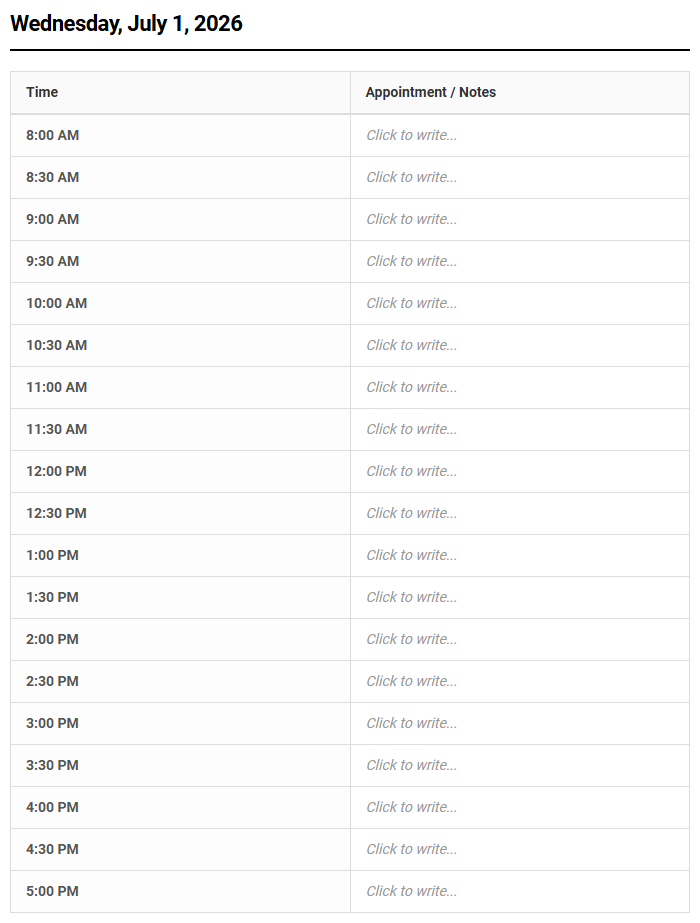
Managing a chaotic daily schedule often leads to missed opportunities and wasted time. While standard funding sources typically cover high-level administrative overhead, they frequently overlook granular time-management needs.
Our Daily Agendas printable calendar bridges this gap; it grants professionals precise, half-hourly control over their day. However, success with this tool stipulates a strict commitment to consistent time-blocking. Currently utilized by medical clinics and executive consultants, this guide outlines how to implement this scheduler to maximize your daily productivity.
Create Your Half Hourly Appointment Scheduler
| Time | Appointment / Notes |
|---|---|
| Adjust the settings above and click Update to generate your scheduler. | |
Done customizing?
Half Hourly Appointment Scheduler - Good to Know
30-minute time slots
Implementing 30-minute time slots is a highly effective strategy for maximizing daily productivity and maintaining a structured workflow. This incremental division of time forces professionals to refine their focus, encouraging concise communication and swift decision-making. By condensing meetings and tasks into standard half-hour blocks, individuals can eliminate the filler content that often plagues longer, hour-long sessions.
To successfully transition to this format, consider the following best practices:
- Define clear agendas at least ten minutes before the session begins.
- Strictly enforce the twenty-five minute mark to allow a brief transition.
- Identify action items immediately to ensure momentum continues post-meeting.
This disciplined approach transforms how teams perceive time, turning brief encounters into highly productive strategy sessions. Over time, organizations find that half-hour increments provide the perfect balance between thorough collaboration and schedule agility, ensuring that no single discussion derails an entire afternoon of critical deep work.
Micro-scheduling
Micro-scheduling involves breaking your workday down into incredibly precise, granular increments-often ranging from five to fifteen minutes. This hyper-detailed methodology is favored by high-performing executives who need to manage diverse responsibilities without losing momentum. By assigning a specific, highly targeted task to every single block of the day, you eliminate the cognitive load associated with deciding what to do next.
A typical micro-scheduled morning might look like this:
- 08:00 - 08:10: Review and prioritize urgent overnight emails.
- 08:10 - 08:25: Draft the weekly department update report.
- 08:25 - 08:30: Quick physical stretch and hydration break.
This level of precision prevents procrastination, as there is always an immediate, manageable objective at hand. While it requires rigorous discipline and initial effort to plan, micro-scheduling builds an unmatched level of professional momentum, allowing individuals to accomplish in a single morning what others complete in a full day.
Calendar synchronization
Modern professional environments require seamless calendar synchronization across multiple platforms, devices, and organizational boundaries. Whether you balance personal commitments on Google Calendar or manage corporate meetings through Microsoft Outlook, real-time two-way synchronization ensures that your availability is always accurately represented. Without this automated cohesion, professionals risk scheduling conflicts, missed opportunities, and fragmented daily workflows.
"An un-synchronized calendar is not a tool; it is a liability that invites chaotic scheduling errors."
Advanced synchronization algorithms work quietly in the background, instantly updating changes across all linked devices. This continuous data flow ensures that when a client books a slot, your personal planner, mobile devices, and shared team dashboards reflect that commitment instantly. By bridging the gap between disparate software ecosystems, real-time synchronization establishes a reliable source of truth, allowing you to navigate your busy workday with absolute confidence and peace of mind.
Buffer time allocation
One of the most common scheduling mistakes is packing meetings back-to-back without any breathing room. Introducing structured buffer time allocation between appointments is crucial for maintaining mental clarity and preventing cognitive fatigue. These intentional pauses-ideally five to ten minutes-serve as valuable transition phases, allowing you to process notes, stretch, or mentally prepare for the upcoming discussion.
Effective buffer allocation provides several distinct advantages to your workflow:
- Prevents the cascade effect, where one late meeting delays the rest of your day.
- Provides essential opportunities for hydration and physical movement.
- Allows immediate, fresh documentation of meeting action items and takeaways.
By treating buffer times as non-negotiable, sacred appointments with yourself, you respect your cognitive limits. This buffer acts as a protective shield against burnout, transforming a frantic day of consecutive calls into a manageable, structured, and highly professional series of focused engagements.
Real-time availability
In today's fast-paced digital economy, displaying real-time availability is essential for frictionless client engagement. Traditional back-and-forth emails to negotiate meeting times are incredibly inefficient and often lead to lost opportunities. Real-time scheduling systems dynamically connect directly to your primary calendar, instantly displaying your true, up-to-the-second openings to external clients, partners, and internal team members alike.
This dynamic visibility ensures that external bookers only see the slots you choose to make public, fully protecting your private focus blocks and personal time. As soon as an appointment is booked or a personal conflict arises, the system updates instantly. This eliminates scheduling friction, project delays, and administrative overhead. Embracing real-time availability presents your organization as modern, accessible, and profoundly respectful of both your own time and the valuable time of your busy clients.
Self-service booking widget
Integrating a self-service booking widget directly into your business website or email signature empowers prospects to schedule meetings entirely on their own terms. This interactive element acts as an automated 24/7 receptionist, capturing leads and booking consultations even while your team is offline. By removing the administrative middleman, you significantly accelerate the sales cycle and improve overall customer satisfaction metrics.
A high-performing booking widget should possess several key characteristics:
- Responsive design that functions flawlessly on both desktop and mobile screens.
- Clear, customizable fields to gather essential client information prior to the call.
- Instant confirmation messaging paired with automated calendar invites.
This simple addition transforms your digital presence into an active engine for growth. By lowering the barrier to entry, clients can seamlessly secure their spot on your schedule in just a few clicks, boosting conversion rates and administrative efficiency.
Double-booking prevention
Few professional oversights damage credibility as quickly as double-booking a client. Implementing robust double-booking prevention protocols is a critical necessity for maintaining professional trust and protecting your brand reputation. Modern scheduling software solves this challenge by performing multi-calendar conflicts checks simultaneously, blocking out times the moment a commitment is registered on any connected network.
This reliable safeguard operates across multiple dimensions of your professional life:
- It cross-references personal and professional calendars to prevent social-work overlaps.
- It instantly locks out a time slot the second an external booking request is confirmed.
- It accounts for overlapping team schedules to ensure shared resources are never over-allocated.
By enforcing these strict, automated rules, you build an ironclad calendar. You will never have to write embarrassing apology emails to reschedule a client, allowing you to project a polished image of organizational excellence and absolute reliability.
Automated reminders
No-shows and late arrivals cost businesses significant revenue and disrupt carefully planned daily workflows. Leveraging automated reminders via email and SMS is the most effective way to drastically reduce absenteeism. Instead of manually tracking down clients, an automated system sends timely, customized notifications leading up to the scheduled appointment, keeping the commitment top-of-mind for the attendee.
To maximize effectiveness, set up a strategic, non-intrusive reminder cadence:
- Initial Confirmation: Sent immediately upon booking with full details.
- 24 Hours Prior: A comprehensive reminder featuring a convenient rescheduling link.
- 1 Hour Prior: A quick SMS alert containing the direct virtual meeting URL.
This automated outreach ensures participants arrive prepared, on time, and with all necessary materials in hand. It professionalizes your operation while sparing your team from tedious administrative follow-ups, allowing them to focus on delivering high-quality service.
Capacity optimization
Achieving true operational efficiency requires careful capacity optimization. This practice involves analyzing resource availability, employee energy levels, and client demand to structure a highly balanced workload. Without optimizing capacity, teams run the risk of localized bottlenecks, where certain team members are completely overwhelmed while other operational assets sit entirely idle and unproductive.
By implementing smart scheduling software, managers can set strict daily limits on specific appointment types. For example, you can cap intense introductory sales consultations to three per day per representative. This restriction preserves your team's cognitive bandwidth, ensuring that every client receives an exceptional, high-energy experience. Optimizing your operational capacity balances staff well-being with robust business output, protecting long-term retention and driving sustainable, scalable organizational growth over quarters and years to come.
Time-blocking scheduler
A time-blocking scheduler is a powerful tool designed to help you reclaim control over an unpredictable workday. Unlike standard to-do lists that merely catalog tasks, time blocking requires you to actively dedicate specific chunks of time to designated activities on your actual calendar. This visual commitment transforms passive intentions into concrete, scheduled actions, making it far easier to defend your day against distractions.
To implement this highly effective scheduling strategy successfully, organize your calendar into distinct blocks:
- Deep Work Blocks: Reserved exclusively for high-concentration, creative tasks.
- Reactive Blocks: Designated times for answering emails, phone calls, and Slack messages.
- Administrative Blocks: Focused periods for routine paperwork, invoicing, and system updates.
This intentional structure prevents your day from being dictated by external demands. By visualizing your priorities directly within the framework of your calendar, you establish a balanced, highly productive routine that consistently moves major projects forward.
Leave a comment