
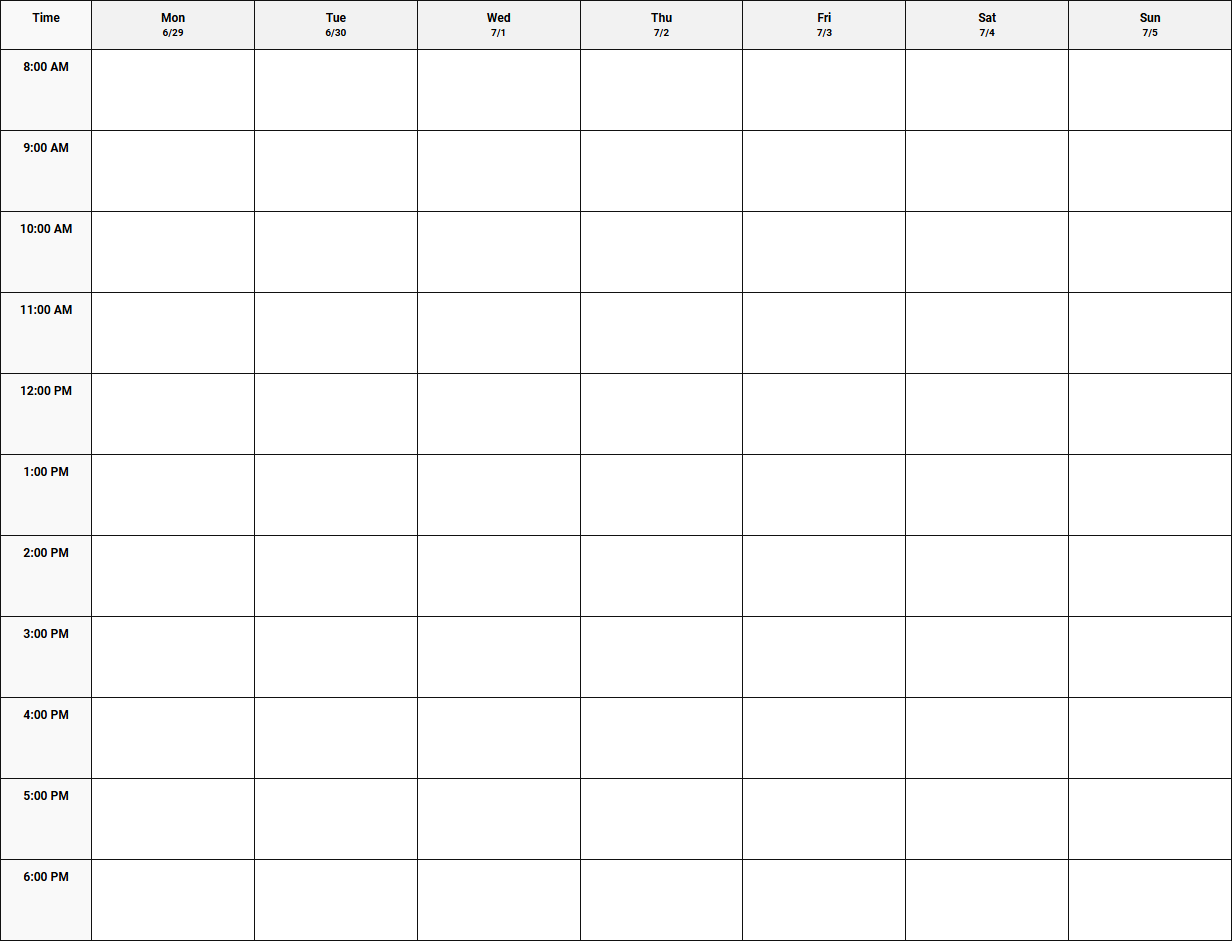
Balancing an unpredictable workday often leaves professionals feeling overwhelmed and disorganized. While standard corporate tools and funding sources secure project capital, they fail to manage your daily hours. An Hourly Schedule Weekly Planner bridges this gap, granting you complete visibility over your time. However, success requires working under the stipulation of realistic time-blocking. Utilizing layouts like 15-minute intervals or 7 AM to 9 PM blocks ensures peak productivity. Below, we review the best printable templates to optimize your week.
Create Your Hourly Schedule Weekly Planner
Done customizing?
Hourly Schedule Weekly Planner - Good to Know
Time blocking
Time blocking is a highly effective time management method where you divide your day into distinct blocks of time. Each block is dedicated to completing a specific task or group of tasks, rather than keeping an open-ended to-do list. By planning your day in advance, you eliminate the cognitive load of deciding what to work on next, which significantly reduces decision fatigue and procrastination.
To implement this strategy successfully, consider the following steps:
- Identify your high-priority tasks for the day.
- Estimate the duration required for each activity.
- Incorporate buffer blocks for unexpected interruptions or short breaks.
This structured approach helps you maintain deep focus, protect your schedule from external distractions, and ensure that your most critical objectives receive the dedicated attention they deserve throughout your busy workday.
Time boxing
While often confused with time blocking, time boxing introduces a crucial constraint: a strict limit on how much time you allocate to a specific activity. Instead of working on a task until it is finished, you commit to stopping once the designated "box" of time expires. This technique leverages Parkinson's Law, which states that work expands to fill the time available for its completion.
This method is exceptionally useful for managing open-ended tasks or combating perfectionism. Common applications include:
- Limiting email management to a strict 30-minute afternoon block.
- Setting a 45-minute boundary for initial brainstorming sessions.
- Allocating exactly one hour for market research to avoid endless scrolling.
By enforcing these rigid boundaries, you cultivate a sense of urgency that boosts efficiency, sharpens your decision-making, and prevents minor administrative tasks from draining your entire day's energy reserves.
Digital weekly planner
A digital weekly planner serves as a dynamic, centralized hub for managing your professional and personal commitments. Transitioning from paper to a digital platform allows for seamless synchronization across multiple devices, ensuring your schedule is always accessible. Modern digital planners offer interactive features like drag-and-drop adjustments, automated reminders, and color-coded categorization that elevate your organization.
Key advantages of adopting a digital planning system include:
- Instant flexibility: Easily reschedule appointments without messy eraser marks or cluttered paper margins.
- Integrations: Connect your planner with video conferencing tools, email clients, and project boards.
- Searchability: Quickly locate past meetings or future deadlines using simple keyword searches.
Embracing a digital workflow empowers you to visualize your entire week at a single glance, allowing you to proactively balance work demands, family commitments, and essential self-care routines.
Notion schedule template
The rise of modular productivity software has made the Notion schedule template a favorite among professionals seeking customized organization. Notion allows users to build bespoke scheduling dashboards that combine task databases, daily agendas, and project roadmaps into one unified workspace. Using a template eliminates the friction of building a system from scratch while retaining total design control.
With a well-structured Notion template, you can customize your views to match your workflow, utilizing distinct layouts such as:
- Kanban boards for tracking project progression stages.
- Calendar views for managing long-term deadlines and events.
- Relational databases that link daily schedules directly to high-level goals.
This adaptability makes Notion highly effective for freelancers, students, and collaborative teams who need their schedules to actively evolve alongside their changing project scopes and daily responsibilities.
Task batching
Task batching is a productivity workflow where you group similar, low-effort tasks together and complete them in a single, dedicated session. This approach minimizes context switching-the mental drain that occurs when you constantly jump between unrelated activities. When your brain is spared from shifting gears repeatedly, you preserve cognitive energy and maintain a higher level of focus.
To integrate task batching into your routine, group your daily responsibilities into cohesive categories:
- Administrative: Filing expenses, sorting digital files, and updating databases.
- Communication: Replying to emails, returning phone calls, and sending Slack updates.
- Creative: Writing reports, designing presentations, or brainstorming content ideas.
By dedicating specific intervals to these batches, you complete routine tasks far more quickly, leaving larger, uninterrupted blocks of time open for deep, meaningful creative work.
Hourly time blocking
For individuals who thrive on precise structure, hourly time blocking offers a granular method of managing daily commitments. This system requires you to map out every hour of your day, from morning routines to evening wind-downs, leaving no time unaccounted for. By viewing your day as a series of defined 60-minute windows, you gain an incredibly realistic perspective on what you can actually accomplish.
This disciplined strategy is particularly beneficial for professionals juggling multiple clients or strict project deadlines. It forces you to account for travel times, meal breaks, and transition periods, preventing you from overcommitting. When every hour has a designated purpose, you spend less time wondering what to do next and more time executing your plans with deliberate, focused intent.
Chronotype scheduling
Rather than forcing your body into a rigid, traditional schedule, chronotype scheduling aligns your daily workload with your natural biological rhythms. Your chronotype-whether you are a morning lark, a night owl, or fall somewhere in between-dictates when your alertness and cognitive abilities peak throughout the day.
To optimize your productivity, structure your day to match your energy peaks and troughs:
- Peak periods: Reserve these high-energy hours for demanding tasks like strategic planning, writing, or coding.
- Trough periods: Use low-energy times for routine, low-brainpower administrative chores or inbox cleaning.
- Recovery periods: Focus on collaborative meetings, light brainstorming, or creative reflection.
Working in harmony with your internal clock reduces burnout, enhances overall mental well-being, and allows you to achieve superior output with significantly less resistance.
Aesthetic weekly schedule
An aesthetic weekly schedule proves that organization does not have to be cold or clinical. By utilizing beautiful typography, calming color palettes, and clean layouts, this approach transforms scheduling from a chore into a pleasant visual ritual. When your planning tool is visually appealing, you are far more likely to engage with it consistently and stick to your goals.
Creating an aesthetic schedule often involves careful design choices, such as:
- Selecting soft, pastel color codes for different life categories.
- Using minimal, elegant fonts that reduce visual clutter and anxiety.
- Incorporating inspiring imagery, motivational quotes, or negative space.
Whether designed on paper or customized via digital applications, an aesthetically pleasing layout reduces stress, promotes mental clarity, and brings a sense of mindful intentionality to your weekly planning process.
ADHD planner
Standard scheduling tools often fail individuals with ADHD, who may struggle with time blindness, executive dysfunction, and overwhelm. An ADHD planner is specifically designed to address these challenges by prioritizing visual cues, offering flexible structures, and breaking tasks down into highly manageable steps. Rather than focusing solely on time, these planners emphasize energy management and task prioritization.
Effective ADHD planners frequently incorporate specialized features, including:
- Highly visible progress trackers and sensory check-ins.
- Unscheduled, open spaces that reduce the anxiety of rigid time slots.
- Specific sections dedicated to brain-dumping random thoughts and distractions.
By lowering the barrier to entry and accommodating fluctuating focus levels, these specialized planners help users establish sustainable organizational habits without feeling shame or frustration.
iPad hourly planner
The iPad hourly planner represents the perfect intersection of tactile handwriting and digital convenience. By utilizing an Apple Pencil alongside popular note-taking applications, users can enjoy the traditional, cognitive benefits of writing by hand while utilizing powerful digital features like copy-pasting, instant resizing, and cloud backup systems.
This hybrid planning method offers unparalleled customization options, including:
- Importing hyperlinked PDF planners for effortless, tap-to-navigate scheduling.
- Using digital stickers and colorful highlighters to prioritize important events.
- Searching handwritten text instantly to locate past notes and agendas.
For creative professionals, students, and busy administrators, the iPad serves as an incredibly versatile canvas that keeps daily agendas, detailed meeting notes, and creative doodles neatly organized in one portable device.
Leave a comment