
Balancing client consultations and project deadlines often leads to costly scheduling conflicts. While securing capital and traditional funding sources establishes your business foundation, maintaining client trust requires impeccable execution.
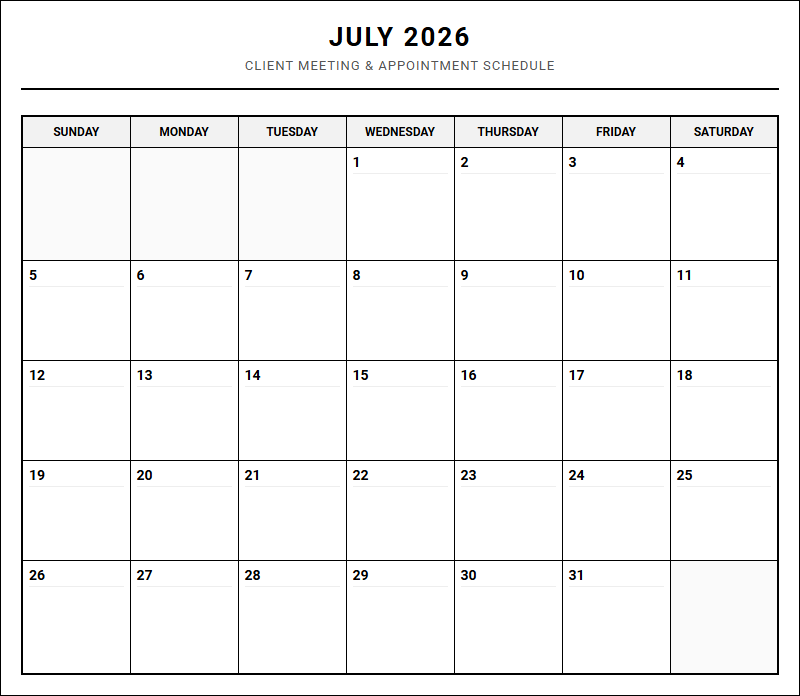
Our printable calendar grants professionals absolute control over their daily agendas-stipulated, of course, on consistent daily updates. By organizing critical touchpoints, like project milestones and discovery calls, you safeguard your billable hours. Below, we outline actionable strategies to maximize this tracking tool.
Create Your Client Meeting and Appointment Schedule
Scheduled Appointments list:
Done customizing?
Client Meeting and Appointment Schedule - Good to Know
Calendar Syncing
In the modern digital workspace, calendar syncing serves as the backbone of efficient scheduling. By bi-directionally integrating your booking platform with primary calendars like Google Calendar, Microsoft Outlook, or Apple iCloud, you establish a real-time, unified source of truth. This seamless connection ensures that personal commitments, internal team meetings, and external client appointments never conflict.
When a client books a slot, the system immediately updates your master calendar, rendering that time unavailable to others. Key advantages of robust calendar synchronization include:
- Elimination of double-bookings: Automated updates prevent overlapping appointments.
- Real-time availability: Clients always see your most current schedule.
- Cross-platform harmony: Keep your mobile devices and desktop clients perfectly aligned.
Maintaining an accurate calendar prevents administrative friction, letting professionals focus on high-value tasks rather than manual coordination.
Buffer Time
To prevent burnout and maintain a professional cadence, implementing buffer time between consecutive appointments is essential. Back-to-back meetings often lead to cognitive fatigue, leaving little room to document notes, prepare for the next client, or simply take a brief physical break. By hardcoding designated intervals-such as 10, 15, or 30 minutes-into your scheduling tool, you create a necessary breathing room.
Consider these critical reasons to configure automated buffer periods:
- Meeting Overruns: Discussions occasionally run long; buffers prevent a domino effect of lateness.
- Mental Reset: Transitioning from a technical support call to a sales pitch requires a shift in mindset.
- Administrative Upkeep: Use these short windows to log details in your CRM or send follow-up resources.
Protecting your daily schedule with built-in buffers ensures you present your best, most focused self to every participant.
No-Show Rate
The no-show rate is a critical metric that measures the percentage of scheduled appointments where the attendee fails to appear without prior notice. High no-show rates directly impact business profitability, waste valuable staff resources, and disrupt operational workflows. Understanding why prospects or clients fail to attend is the first step toward optimizing your booking pipeline.
"An empty seat represents lost revenue and wasted preparation time that could have been allocated to another high-value client."
To actively combat this issue, organizations track this percentage closely, comparing historical data against industry benchmarks. Utilizing booking platforms that require double opt-in confirmation or credit card holds for premium slots can dramatically reduce absenteeism. Minimizing this metric stabilizes daily operations and maximizes the billable hours of your consulting or service team.
Asynchronous Meeting
An asynchronous meeting replaces live, real-time conversations with structured, delayed-response communication. Instead of aligning multiple calendars for a standard video call, team members share updates, feedback, or presentations using collaborative digital tools. This approach respects individual focus time and accommodates diverse working hours across global teams.
Common formats for executing these asynchronous check-ins include:
- Recorded video walkthroughs using tools like
LoomorScreencastify. - Detailed text updates in project management boards like Trello, Asana, or Jira.
- Interactive voice memos or threaded discussions in Slack or Microsoft Teams.
By shifting to an asynchronous model for status updates, organizations preserve precious synchronous time for creative brainstorming, complex problem-solving, and deep interpersonal connection.
Discovery Call
A discovery call is the initial exploratory conversation between a sales representative and a prospective client. The primary objective is not to deliver a rigid sales pitch, but rather to ask diagnostic questions that uncover the prospect's pain points, operational challenges, budget constraints, and overall fit. It functions as a mutual vetting process to determine if a partnership makes strategic sense.
During these conversations, active listening is paramount. Sales professionals utilize this time to map the prospect's current situation against the specific solutions they offer. A successful call establishes rapport, builds trust, and clearly outlines the logical next steps in the purchasing journey. Failing to properly qualify leads during this phase leads to wasted resources downstream in the sales cycle.
Availability Window
Configuring a precise availability window allows professionals to dictate exactly when they are open to receiving bookings. Rather than leaving the entire standard workday open to external scheduling, you can restrict client meetings to specific days or blocks of time. This strategy empowers individuals to design a balanced weekly schedule that honors both collaborative and deep focus work.
For example, a consultant might establish the following routine:
- Mondays & Fridays: Reserved entirely for deep focused work, strategy development, and internal administrative tasks.
- Tuesdays through Thursdays: Open for external client consultations from 10:00 AM to 4:00 PM.
Setting these boundaries prevents scheduling chaos, protects your mental bandwidth, and ensures that client-facing interactions occur only when you are fully energized and prepared.
Time Zone Alignment
With the rise of distributed global teams and international client bases, achieving seamless time zone alignment is a crucial aspect of modern scheduling. Manual calculations often lead to confusion, missed appointments, and frustrated clients. Modern scheduling software solves this friction by automatically detecting the invitee's local time zone and translating your availability accordingly.
When booking an appointment, both parties must receive calendar invites that accurately reflect their respective local times. To ensure clarity, systems should include UTC offsets and clearly state the time zone in all automated confirmation emails. Removing the cognitive load of time zone math creates a frictionless booking experience, enabling businesses to confidently expand their reach and service clients worldwide without scheduling mishaps.
Automated Reminders
Deploying automated reminders is one of the most effective strategies for reducing missed appointments and keeping projects on track. Relying on clients to manually remember their scheduled slots often leads to high cancellation rates. By setting up automated workflows, your scheduling system sends timely notifications via email or SMS text message leading up to the event.
A highly optimized communication sequence often follows a structured timeline:
- Immediate Confirmation: Sent right after booking, containing calendar invite links and meeting details.
- 24-Hour Reminder: A quick nudge outlining the agenda and any necessary preparation.
- 1-Hour Warning: A final notification containing the direct video conference link for easy access.
These automated touchpoints keep the upcoming meeting top-of-mind, giving participants ample time to reschedule if conflicts arise.
Rescheduling Policy
A clear, fair, and transparent rescheduling policy protects your professional time while maintaining positive client relationships. Without predefined guidelines, clients may reschedule at the very last minute, leaving you with empty, unbillable gaps in your workday. Your policy should outline the acceptable timeframe for making changes and any associated fees or limitations.
"To respect everyone's schedule, we require a minimum of 24 hours' notice for all appointment cancellations or modifications."
Displaying these terms clearly on your booking page and in confirmation emails manages expectations early. Providing a simple, self-service rescheduling link within the 24-hour window empowers clients to adjust their appointments independently, reducing back-and-forth emails while preserving the integrity of your professional boundaries.
Intake Questionnaire
An intake questionnaire is a powerful pre-meeting tool used to gather essential information from a participant before the scheduled conversation begins. By embedding customized form fields directly into the booking process, you ensure that every meeting is highly productive from the very first minute. This practice eliminates the need to spend valuable live meeting time gathering basic administrative or contextual details.
The specific questions asked should tailor to your industry, often capturing:
- Contact information, company size, and professional website URL.
- The primary challenge or goal the participant wants to address during the call.
- Current tools, budgets, or timelines relevant to the discussion.
Reviewing this submitted data beforehand allows you to customize your presentation, prepare relevant resources, and maximize the value delivered during the actual session.

Leave a comment