
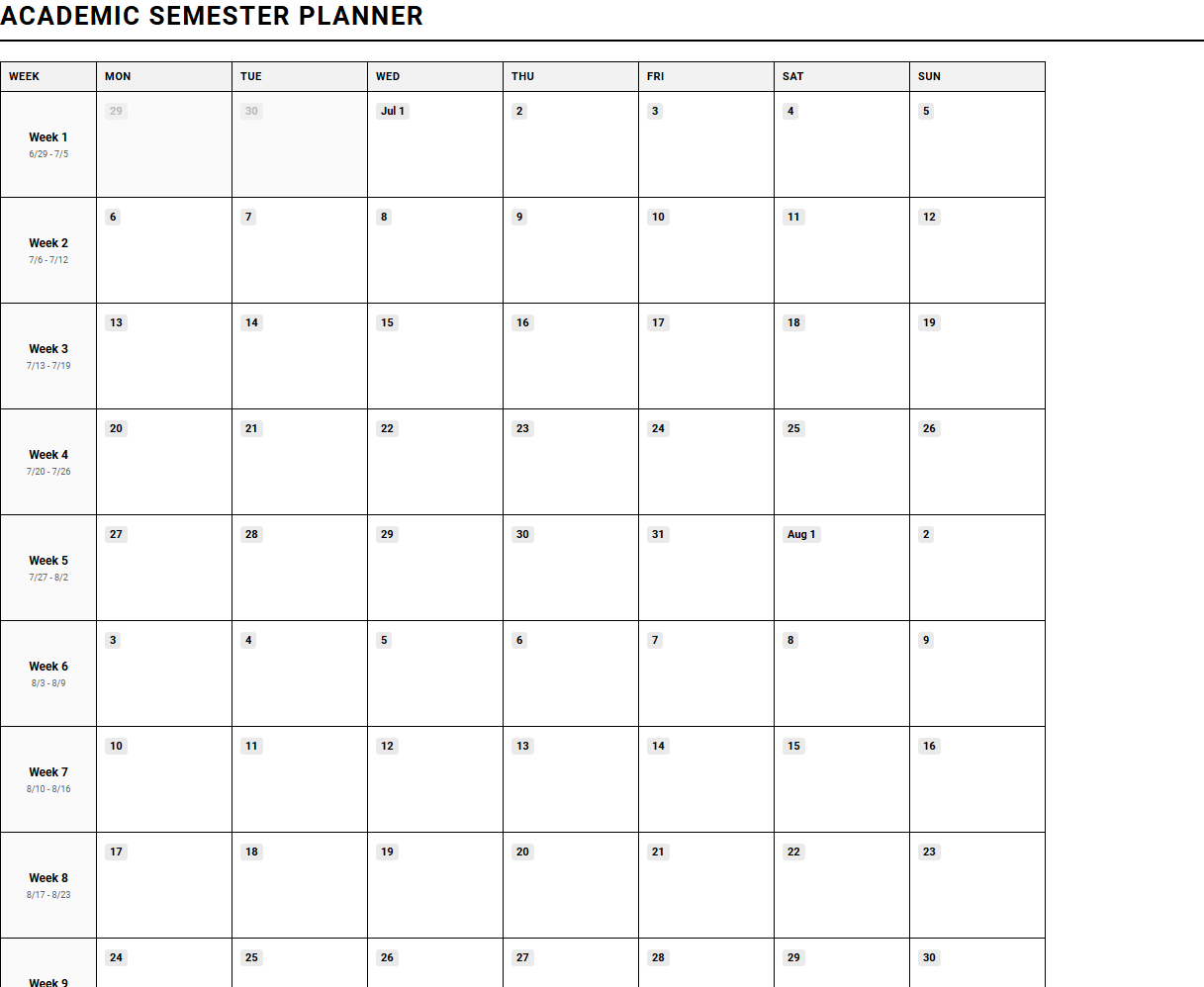
Balancing overlapping deadlines often leaves students and educators feeling overwhelmed by semester-long demands. While standard institutional funding sources support basic digital portal access, these systems rarely offer intuitive visual layouts. A printable "Semester at a Glance Planner" grants users immediate cognitive clarity, provided they commit to consistent weekly reviews. Integrating concrete tools like color-coded exam blocks ensures no critical milestone is missed. Below, we outline how to choose and implement the ideal calendar design for your academic success.
Create Your Semester at a Glance Planner
Done customizing?
Semester at a Glance Planner - Good to Know
Academic milestone tracker
Keeping track of key achievements and deadlines is crucial for university success. An academic milestone tracker acts as your personal roadmap, allowing you to visualize long-term goals and project progress. Instead of viewing the semester as an overwhelming mountain of tasks, this system breaks down your journey into manageable checkpoints.
By mapping out significant benchmarks, you can maintain steady motivation. Use this tracker to log key phases of your academic career:
- Thesis or capstone proposal submissions.
- Draft reviews with academic advisors.
- Final presentation dates and defense preparations.
- Internship application deadlines.
Having visual indicators of completed milestones boosts confidence and prevents last-minute academic panic, ensuring you stay ahead of schedule.
Syllabus mapping
Syllabus mapping is the process of translating complex course documents into actionable daily schedules. By dissecting each course outline at the start of the term, you can extract crucial dates, grading rubrics, and reading assignments. This proactive planning method ensures that surprise assignments never catch you off guard.
To implement this effectively, follow a simple three-step translation workflow:
- Extract all exam, quiz, and essay dates from every syllabus.
- Categorize tasks by weight, prioritizing high-value assignments.
- Integrate these entries into a master database or paper planner.
This technique aligns your daily studies with actual course objectives, making your study sessions highly targeted and efficient. By organizing your term early, you master your time instead of letting the calendar master you.
Notion student dashboard
A Notion student dashboard serves as an all-in-one digital command center for your academic life. By centralizing your class notes, assignment trackers, and quick resources in a single unified workspace, you minimize the cognitive friction of switching between multiple applications.
A highly functional dashboard layout typically includes several integrated databases:
- Master Task List: Filtered by urgency and course.
- Class Notes Database: Categorized by lecture topic and revision status.
- Resource Hub: Storing PDF articles, syllabus links, and lecture recordings.
This customizable workspace evolves alongside your study habits, providing a seamless blend of aesthetic design and functional utility. Centralizing your academic life helps reduce mental clutter and keeps you focused on learning.
Four-month academic overview
Zooming out to look at a four-month academic overview offers a vital macro-perspective of your entire term. Rather than focusing solely on immediate weekly tasks, this macro-level planning allows you to anticipate high-stress periods, such as midterm week or finals season, well in advance.
"Seeing the academic landscape as a whole prevents burnout by highlighting exactly when to rest and when to accelerate your study efforts."
With this bird's-eye view, you can schedule personal breaks, weekend trips, and extracurricular activities around major academic hurdles. This ensures a healthier work-life balance and prevents the exhaustion that comes from back-to-back deadlines.
Hyperlinked digital planner
The modern student requires speed, flexibility, and portability, which is why a hyperlinked digital planner has become an essential study tool. These PDF-based planners utilize interactive tabs, allowing you to jump instantly from monthly overviews to daily detail sheets with a single tap of your stylus.
Students enjoy numerous benefits when switching to digital planning tools:
- Instant navigation reduces time spent flipping pages.
- Supports rich media integration, including images, web links, and digital stickers.
- Syncs instantly across tablets, laptops, and smartphones.
This tool bridges the gap between traditional paper journaling and digital convenience, offering an organized platform for busy students.
Course load visualization
Managing multiple classes requires understanding how much energy each demand. A course load visualization tool represents credit hours and difficulty levels using charts or color-coded graphs. By mapping your weekly commitment hours, you can identify which classes demand the most cognitive energy.
Effective visualization relies on tracking specific metrics:
- Color-coded difficulty indexes for easy recognition.
- Estimated weekly study hours required per course.
- Visual stress-level bars that predict weekly workloads.
Balancing your study schedule becomes intuitive when you can see your workload distributed clearly. This visual balance prevents you from over-allocating time to easy subjects while ignoring demanding ones.
Exam countdown log
There is nothing quite like the ticking of a clock to spark focus. An exam countdown log visually ticks down the days remaining until your major assessments. This psychological prompt establishes a healthy sense of urgency, encouraging consistent revision rather than last-minute cramming.
To use a countdown log effectively, follow this structured countdown method:
- Register exam dates immediately at the beginning of the semester.
- Set study progress markers at 30, 15, and 5 days remaining.
- Adjust your study intensity as the countdown window narrows.
By tracking the days left, you build steady study momentum that mitigates exam anxiety and builds confidence.
Semester pacing guide
A semester pacing guide ensures that you stay on track with asynchronous learning, reading lists, and lecture reviews. Unlike rigid calendars, a pacing guide focuses on flow and volume, outlining how many chapters or modules you must finish weekly to avoid falling behind.
This system prevents the accumulation of backlog material, which often leads to severe stress before exams. By establishing steady weekly benchmarks, you maintain consistent progress throughout the fifteen-week term, ensuring deep, comprehensive understanding of the course material.
GoodNotes academic template
Handwritten notes remain superior for memory retention, and a customized GoodNotes academic template maximizes this benefit on digital devices. Specifically designed for digital paper, these templates feature specialized grid patterns, Cornell note-taking margins, and dedicated lecture summary blocks.
These templates optimize your digital handwriting experience through key features:
- Cornell method layouts for effective active recall.
- Importable PDF templates optimized for tablet screens.
- Dedicated spaces for vocabulary, formulas, and key questions.
Using structured templates transforms passive scribbling into active, organized studying, making your notes highly searchable and readable.
Grade tracker spreadsheet
Demystify your final marks with an automated grade tracker spreadsheet. Instead of guessing your standing, this spreadsheet calculates weighted averages, projections, and the exact scores required on final exams to achieve your target grades.
These trackers use built-in formulas to calculate performance metrics:
- Weighted category calculations (e.g., Finals 30%, Quizzes 10%).
- Interactive "what-if" scenarios for future assignments.
- Visual progress bars showing current GPA estimates.
Empower your academic strategy with data-driven insights that show exactly where to focus your study efforts to maximize your GPA.
Leave a comment